AI Design Skills
Two reusable workflows for coding agents: build a landing page, or turn a static design into an animated showcase.
See what’s inside
Read the two skills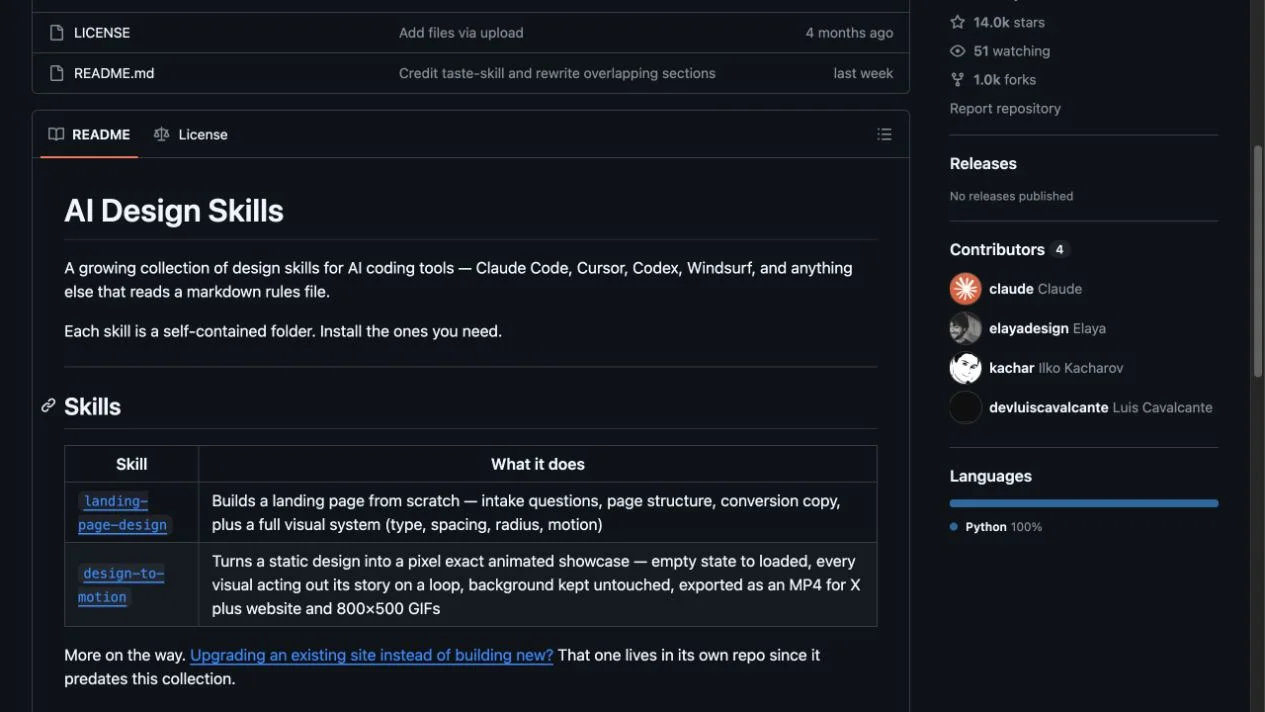
The upstream repository supplies instruction files rather than rendered demo images. The preview shows its official README and the links show the actual skill contents. Source & credits
Choose the workflow your project needs
AI Design Skills packages two self-contained Markdown workflows for compatible coding assistants. One builds a landing page from a brief; the other plans and produces motion from an existing static design.
- Use landing-page-design for a new page and its visual system.
- Use design-to-motion for an animated showcase based on an existing design.
- Adjust each file’s design values to fit your project.
- Load only the workflow you need rather than treating the collection as a single universal instruction.
Before you start
- A coding assistant that can read Markdown instructions or project rules.
- Motion rendering and exports require the tools selected by the workflow and your agent.
- Installation locations differ between assistants; preserve existing project instructions when adding a skill.
Set it up for your workflow
Extract the ZIP, then open skills/ and choose landing-page-design or design-to-motion.
Copy the chosen skill folder into your assistant’s supported skills directory, or attach its SKILL.md as project context.
Describe your project, review the proposed direction and inspect the actual built or rendered output.
License and source
The repository is MIT-licensed by Elaya. Both skills retain credits to the upstream workflows they adapt. Keep the original license and credit sections with redistributed copies; rendered examples have not been independently produced for this listing.
WOG Labs reviewed the repository and download contents. The previews come from the identified upstream sources; installation and generated results depend on your tools and have not been independently reproduced here.