video-add-b-roll
Plan and review transcript-timed B-roll from local footage or Pexels for a cut-as-code video project.
See what’s inside
View the original skill instructions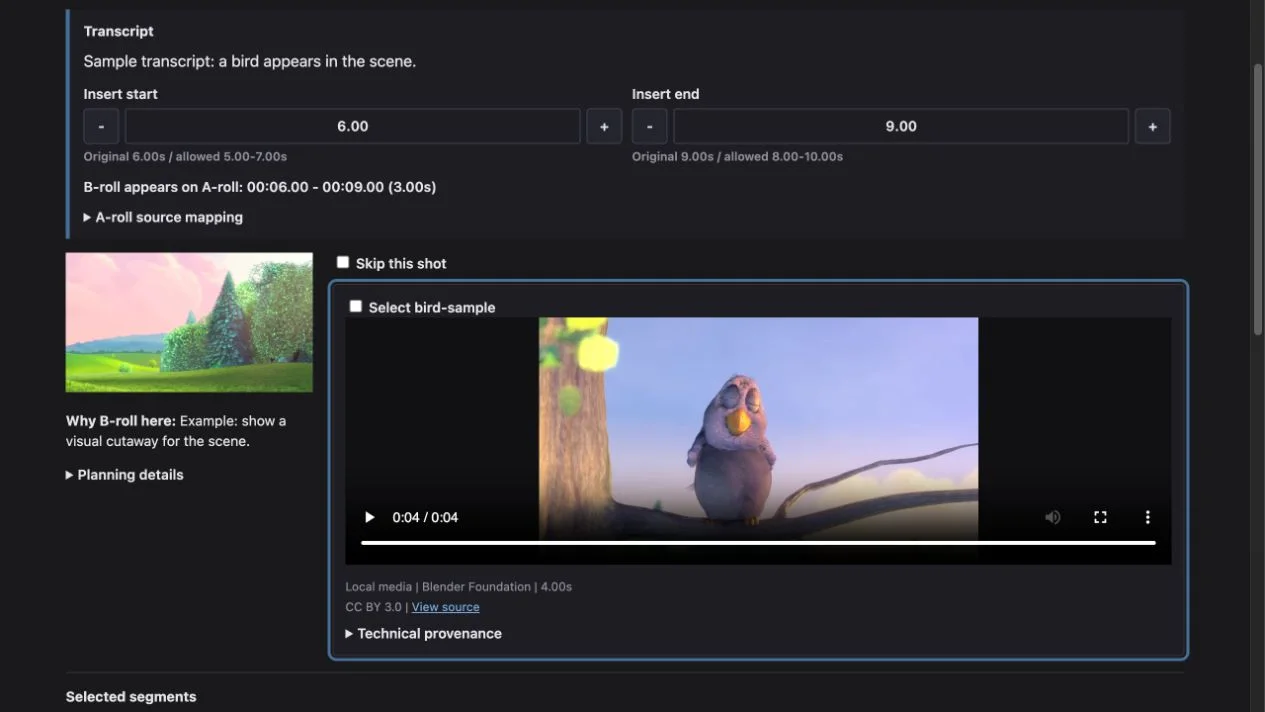
Review interface by WhiteTowerAI. Sample footage: Big Buck Bunny, © copyright 2008 Blender Foundation / www.bigbuckbunny.org, CC BY 3.0 (https://creativecommons.org/licenses/by/3.0/). WOG Labs trimmed the sample and populated the template; the full skill workflow was not run. Source & credits
Plan B-roll around the existing edit
This cut-as-code skill uses the project transcript and timeline to plan, source and review visual cutaways before adding them to a video edit.
- Align visual cutaways with an existing transcript and timeline.
- Use local footage or search Pexels and record source information.
- Review candidates and verify the resulting edit in the project workflow.
Before you start
- A compatible coding agent and the complete cut-as-code project and skills.
- Python, Pillow, FFmpeg and ffprobe, plus the /video-understand prerequisite.
- An existing validated project timeline, transcript and verified upstream review video.
- A Pexels API key is required for Pexels; local-only footage can be used without it.
Set it up for your workflow
The upstream installer offers the full skill collection; select video-add-b-roll and its prerequisite as needed.
Prepare the cut-as-code project and run /video-understand first.
Provide local footage or configure Pexels, then ask for transcript-timed B-roll.
Review candidate footage and the actual edited output before sharing.
License and source
The upstream repository uses the MIT license; retain the original copyright and permission notice when redistributing its files.
WOG Labs reviewed the linked repository and its documented download options. The preview's source and limitations are described above; the full skill workflow was not independently tested.